Autodesk Navisworks API
- Subscribe to RSS Feed
- Mark Topic as New
- Mark Topic as Read
- Float this Topic to the Top
- Bookmark
- Subscribe
- Printer Friendly Page
Heads Up Display (XYZ Corrdinate s)
- Mark as New
- Bookmark
- Subscribe
- Subscribe to RSS Feed
- Highlight
- Email to a Friend
- Report Inappropriate Content
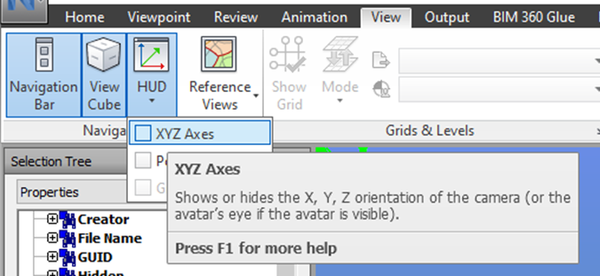
This may be an easy one, but I am unable to find a way to turn the XYZ corrdinates off on the bottom left of the ActiveX control for NavisWorks. I'm looking to export images from a model, to put into a report. I can export the image and resize it correctly, but the XYZ corrdinates from the control remain the same size and only show half the Corrdinates within the image.
Is there an easy way to hide these corrdinates within the ActiveX control, that I may be missing. I've dug through the control with no luck so far.
Thanks.

Re: Heads Up Display (XYZ Corrdinate s)
- Mark as New
- Bookmark
- Subscribe
- Subscribe to RSS Feed
- Highlight
- Email to a Friend
- Report Inappropriate Content
Hi,
I think you can turn it off just by changing registry settings, but you’ll need to make sure the ActiveX control isn’t running when you do it.
e.g. with NW2013 Redistributable control.
show_position = 0
xyz_triad = 0
in HKEY_CURRENT_USER\Software\Autodesk\Navisworks ActiveX Redistributable\10.0\GlobalOptions\interface\displ
the icons will not appear.
show_position = 3 1
xyz_triad = 3 1
Note, there is a space in between “3” and “1”
The icons will appear.
Xiaodong Liang
Developer Technical Services
Autodesk Developer Network