• Industries
  • Products
  • Buy
  • Services & Support
  • Communities
  • Discussion Groups

    Autodesk Navisworks API

    Reply
    Contributor
    Posts: 15
    Registered: ‎09-23-2008
    Accepted Solution

    Add Link to object via .net

    2225 Views, 4 Replies
    08-25-2011 01:41 PM

    is there a way to add a link to an object via .net? wanting to look thru all the mechanical equipment on our models and link them to their documentation automatically. thanks!

    Please use plain text.
    ADN Support Specialist
    xiaodong.liang
    Posts: 861
    Registered: ‎06-12-2011

    Re: Add Link to object via .net

    08-29-2011 11:39 PM in reply to: timbot

    Hi,


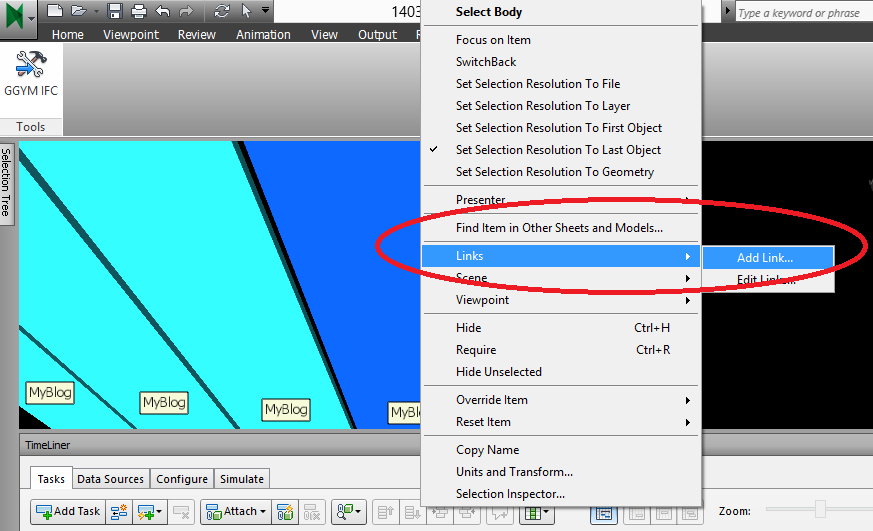
    To add hyperlink to the object, COM API is the current way, i.e. use COM interop in the .NET  program. The code below adds some links to one object.


     private void AddURL()
      { 
      ComApi.InwOpState10 state;
      state = ComApiBridge.ComApiBridge.State;

      ComApi.InwURLOverride oMyURLOoverride = (ComApi.InwURLOverride)state.ObjectFactory(Autodesk.Navisworks.Api.Interop.ComApi.nwEObjectType.eObjectType_nwURLOverride, null, null);

      double[] coordinate = { 10, 10, 0, 20, 20, 0, 30, 30, 0 };

      for(int i = 0 ;i < 9; i +=3)
      {
      ComApi.InwURL2 oMyURL = (ComApi.InwURL2)state.ObjectFactory(Autodesk.Navisworks.Api.Interop.ComApi.nwEObjectType.eObjectType_nwURL, null, null);
      oMyURL.name = "MyURL" + i.ToString ();
      oMyURL.URL = "http://www.google.com";

      ComApi.InwLPos3f oNewP = (ComApi.InwLPos3f)state.ObjectFactory(Autodesk.Navisworks.Api.Interop.ComApi.nwEObjectType.eObjectType_nwLPos3f, null, null);

      oNewP.data1 = coordinate[i];
      oNewP.data2 = coordinate[i + 1];
      oNewP.data3 = coordinate[i + 2];
     
      oMyURL.AttachmentPoints().Add(oNewP);

     
      ComApi.InwURLColl oURLColl = oMyURLOoverride.URLs(); 
      oURLColl.Add(oMyURL);

       ModelItemCollection modelItemCollectionIn = new ModelItemCollection(Autodesk.Navisworks.Api.Application.ActiveDocument.CurrentSelection.SelectedItems);

      //convert to InwOpSelection of COM API
      ComApi.InwOpSelection comSelectionOut =
      ComApiBridge.ComApiBridge.ToInwOpSelection(modelItemCollectionIn);

     
      state.SetOverrideURL(comSelectionOut, oMyURLOoverride);
      state.URLsEnabled = true; 
      }
      return;
      }


    Best regards,

     
    autodesk_logo_signature.png

    Xiaodong Liang

    Developer Consultant

    Autodesk Developer Technical Services


    Xiaodong Liang
    Developer Technical Services
    Autodesk Developer Network

    Please use plain text.
    Active Contributor
    Posts: 35
    Registered: ‎02-13-2009

    Re: Add Link to object via .net

    11-01-2011 11:32 AM in reply to: timbot

    awesome! i just noticed this, but that's exactly what i was looking for B) thank you!

    Please use plain text.
    New Member
    Posts: 2
    Registered: ‎08-10-2012

    Re: Add Link to object via .net

    08-10-2012 07:47 AM in reply to: xiaodong.liang

    Hi,


    Is there a way to find the coordinate of an element in Navisworks? I tried to find the coordinate of an element to put a label directly on it.  I know that it is possible to find the boundingbox of the element with the API but it seems that the element is not always in the center of the bounding box.


    Thanks


    JF Dupuis

    Please use plain text.
    Member
    Posts: 5
    Registered: ‎10-08-2012

    Re: Add Link to object via .net

    10-08-2012 05:41 AM in reply to: xiaodong.liang

    Hi Xiaodong,

        I am attemping to create the add links to object programatically using either vbscript or javascript for usage in the Integrated ActiveX control embedded in a HTML page. I have debugged the code and it runs through to the end but the featured selection in my model is not updated with a manual link I have created. Can you point out where I am going wrong. Both code samples are provided below: I believe the area it is falling down relates to the actual state.SetOverrideURL call using InwOpSelection paramter. I cannot recreate the ModelItemCollection in VBScript or Javascript so have tried  a number of approaches to pass CurrentSelection.SelectedItems


    VBSCRIPT


    public sub addURL()


    Dim state

    Set state = NWControl01.state

    Dim oMyURLOoverride Set oMyURLOoverride = state.ObjectFactory(state.GetEnum ("eObjectType_nwURLOverride"))


     // Dim coordinate = "10, 10, 0, 20, 20, 0, 30, 30, 0"

    Dim coordinate coordinate = "1"


    Dim oMyURL    

    Set oMyURL = state.ObjectFactory(state.GetEnum("eObjectType_nwURL"))  

    oMyURL.name = "MyURL444"  

    oMyURL.URL = "http://www.google.co.uk"


    oMyURL.SetCategory "Hyperlink","LcOaURLCategoryHyperlink"        


     oMyURL.SetCategory "Label", "LcOaURLCategoryTag"


      Dim oNewP

      Set oNewP = state.ObjectFactory(state.GetEnum("eObjectType_nwLPos3f"))


      oNewP.data1 = "10"  

      oNewP.data2 = "10"  

      oNewP.data3 = "0"


    oMyURL.AttachmentPoints().Add(oNewP)


     Dim oURLColl

      Set oURLColl = oMyURLOoverride.URLs   oURLColl.Add(oMyURL)


        //convert to InwOpSelection of COM API  

    Dim comSelectionOut


     Set comSelectionOut = state.CurrentSelection


    state.SetOverrideURL comSelectionOut, oMyURLOoverride  


    state.URLsEnabled = true

    state.ZoomInCurViewOnCurSel

    end sub

    -->


    JAVASCRIPT&colon;


    function addURL() {

    var state = NWControl01.state;

    var oMyURLOoverride = state.ObjectFactory( state.GetEnum( "eObjectType_nwURLOverride"),null, null);


      var coordinate = "10, 10, 0, 20, 20, 0, 30, 30, 0 ";


        var oMyURL = state.ObjectFactory(state.GetEnum("eObjectType_nwURL"),  null, null);  


    oMyURL.name = "MyURL444";  

    oMyURL.URL = "http://www.google.co.uk";


    oMyURL.SetCategory("Hyperlink", "LcOaURLCategoryHyperlink");

     oMyURL.SetCategory("Label", "LcOaURLCategoryTag");


      var oNewP = state.ObjectFactory(state.GetEnum("eObjectType_nwLPos3f"), null, null);

      oNewP.data1 = "10";  

      oNewP.data2 = "10";  

      oNewP.data3 = "0";


        oMyURL.AttachmentPoints().Add(oNewP);


        var oURLColl = oMyURLOoverride.URLs();   oURLColl.Add(oMyURL);


        //convert to InwOpSelection of COM API  

    var comSelectionOut = state.ObjectFactory(state.GetEnum("eObjectType_nwOpSelection"));


    // state.CurrentSelection.SelectedItems;


        state.SetOverrideURL(comSelectionOut, oMyURLOoverride);  

    state.URLsEnabled = true;

    state.ZoomInCurViewOnCurSel();

    }


    Best Regards


    Please use plain text.