how to show the "Insulation Line" in the iso

how to show the "Insulation Line" in the iso

Anonymous
Not applicable
8,250 Views
15 Replies
Message 1 of 16

how to show the "Insulation Line" in the iso

Anonymous
Not applicable

In the 'IsoConfig.xml' file, there are some contents like below:

<Insulation InsulationLineLayerName="Insulation Line" HeatTracingLineLayerName="Heat Tracing Line" InsulationTracingOffsetDistance="0.1531" UseDoubleLineInsulation="true" UseOffsetLineInsulation="false" />

 I don't know what does the "Insulation Line" mean, and how to show that in the iso.

In addition, the "Heat Tracing Line" is OK.


Anyone can give me some ideas? Thanks!

0 Likes
Accepted solutions (1)
8,251 Views
15 Replies
Replies (15)
Message 2 of 16

Venkatesan.A
Alumni
Alumni
Accepted solution

Change the "UseOffsetLineInsulation" from false to true (as show below), this will display the inuslation in the ISO.


UseOffsetLineInsulation="true" />


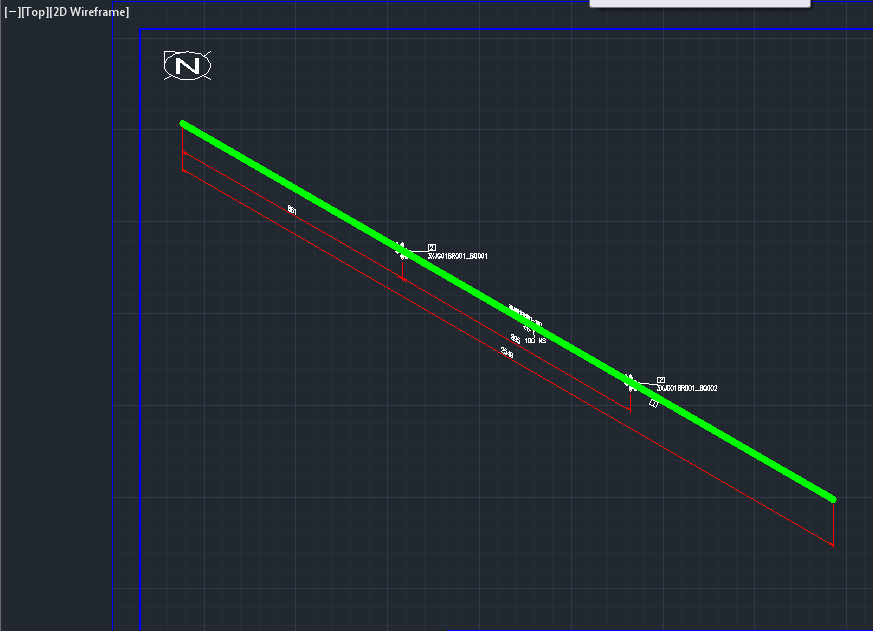
The ISO will look like the one attached in the Pciture.


Venkatesan.A
Support Specialist
Product Support
Autodesk, Inc.
0 Likes
Message 3 of 16

Anonymous
Not applicable

Thanks.

But I think what your pictures shows is the "Heat Tracing Line" but not the "Insulation Line", because the option UseDoubleLineInsulation="true" can't control it. Besides, this line use the "Heat Tracing Line" layer in the "iso.dwt".

0 Likes
Message 4 of 16

Anonymous
Not applicable

Thanks! I have found the point.

0 Likes
Message 5 of 16

thaipham
Enthusiast
Enthusiast

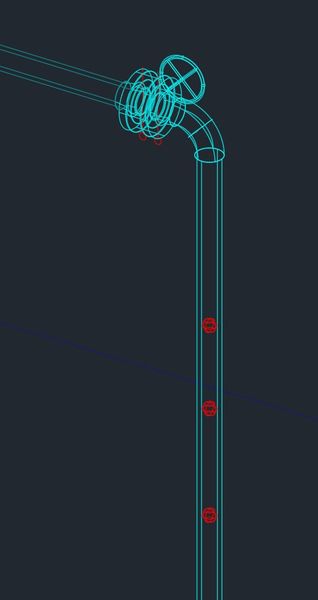
do you khow how to resize the ISO Insulation symbole, the size is to big for me, even I was scale down to 0.5 in the Iso theme, I can not scale down more than that, otherwise all other symbole will be too small. please see the pix.

0 Likes
Message 6 of 16

Anonymous
Not applicable

Is it possible to show heat tracing line and Not insulation/insulated text but not the Insulation line?


When you use false-status it doesn't show either line but I wan't to show heat tracing line

and when you don't use Insulation button it shows correct but Not insulation/Insulated sign will not appear?


Has extension 2 something to this?


Version is Plant 2014

0 Likes
Message 7 of 16

Anonymous
Not applicable
Hi could you send me a solution. I just want to see insulation line.
0 Likes
Message 8 of 16

Anonymous
Not applicable

Have you considered putting Heat Tracing line and insulation line in two separate layers and then turning off the insulation layer?

0 Likes
Message 9 of 16

Anonymous
Not applicable
Tracing and insulation are in different layers. You can turn off them from theme Block configuration ( same where you setup BOM etc.). When you turn off example insulation layer and run Your isometrics it won't show line but it shows breaks.
0 Likes
Message 10 of 16

Anonymous
Not applicable

Thanks for your help, but I need to show insulation line in isometric drawing.

I have set it up in isoconfig.xml

<Insulation InsulationLineLayerName="Insulation Line" HeatTracingLineLayerName="Heat Tracing Line" InsulationTracingOffsetDistance="3" UseDoubleLineInsulation="false" UseOffsetLineInsulation="true" />

 But it still not work.


XXX.png

0 Likes
Message 11 of 16

Anonymous
Not applicable
You also have to but insulation on ( button in toolbar) in Model to get insulation on when you are making isometrics. If you havent done that it won't make insulation to isometric.

0 Likes
Message 12 of 16

Anonymous
Not applicable

Thanks Slepe, its working now.

0 Likes
Message 13 of 16

thaipham
Enthusiast
Enthusiast

Sorry for the delay,

You what, I stop trying to use Isometric drawing, because the software itself have a lots of bugs on the Socket weld and threaded fitting, and also on dimensions. I rather say that they are not ready to launch the piping software. in general, they are have bugs on small piping 2" and below, and that what I use a lots. I'd create the ticket at Autodesk before the version 2015 get out, but the bugs is still there. I don't know when they can fixed that.


sorry for my orthograph, because I am quite busy. thanks,

0 Likes
Message 14 of 16

wstowe
Advocate
Advocate

I tried this and it works but now insulation lines are showing on all ISOs. Even lines that don't have any insulation.


Any ideas on why this happening?


Thanks!


P3D2017.1.2


0 Likes
Message 15 of 16

thaipham
Enthusiast
Enthusiast
Hi, truly, I can not answer to you right now, has been long time I didn't
go into this. I'll keep you posted when I found something new. Best regards!
0 Likes
Message 16 of 16

josephZ6HRU
Enthusiast
Enthusiast

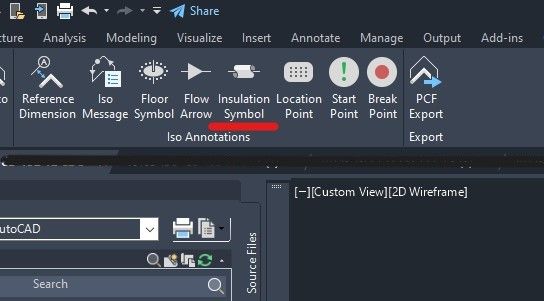
Under the Isos tab select the Insulation Symbol and add it to the pipe. 

Insulation symbol in Isos.jpg

Insulation and wall pen for two insulations.jpg

insulation symbol too big.jpg

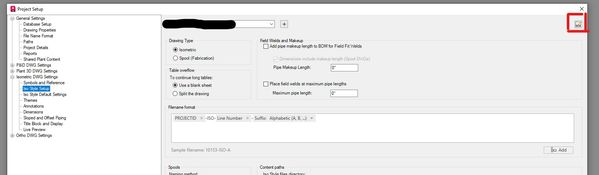
If it is too big, go into your project setup and then the XML to edit. Top right 

XML from project setup.jpg

Next go to the dropdown as shown and change the alignment, it is probably in the skew align, you need to change it to FlatAlign or FlatHorizontal

Insulation xml edit 2.jpg

then it will look better

Insulation on opposite sides of wall.jpg

0 Likes