Hello everyone,
I'm in the process of defining a custom CUIX to suit our departments needs. One of the issues I've ran into are the Shortcut Menus and specifically Context Menu for Edit Mode.
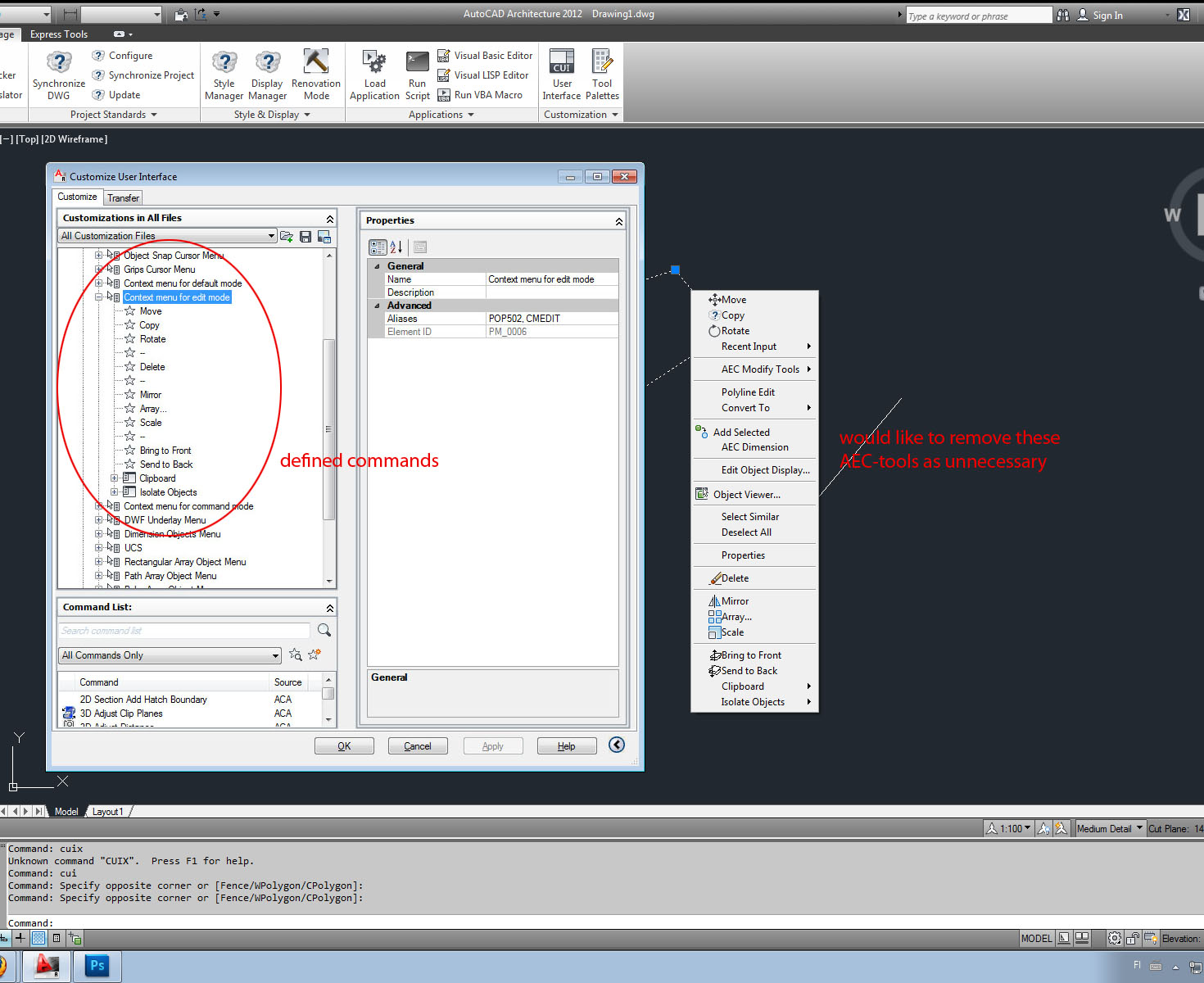
Unlike defining the Default mode in Edit Mode Menu Autocad Architecture adds whole set of AEC-tools to Edit Menu that are not visible in User Interface Editor (please see the attachement).
So my question is how do I get rid of the unwanted AEC-tools so that only the commands I define in the CUI-editor are visible in the shortcut menu?
Curious detail is that these AEC-tools are present even if the program is opened in CAD-mode instead of Architecture mode. Ideal situation is that the customization is done in Architecture mode, since there are few tools we like to use despite the main use being more basic 2D-CAD drawing.
Br,
Timo